

mprisence is a Linux application that bridges MPRIS-compatible media players with Discord Rich Presence.
It’s designed for people who want fine-grained control over how playback information appears in Discord, with support for a wide range of music and media players plus configurable templates, metadata handling, and player-specific behaviour.
This is free and open source software.
Key Features
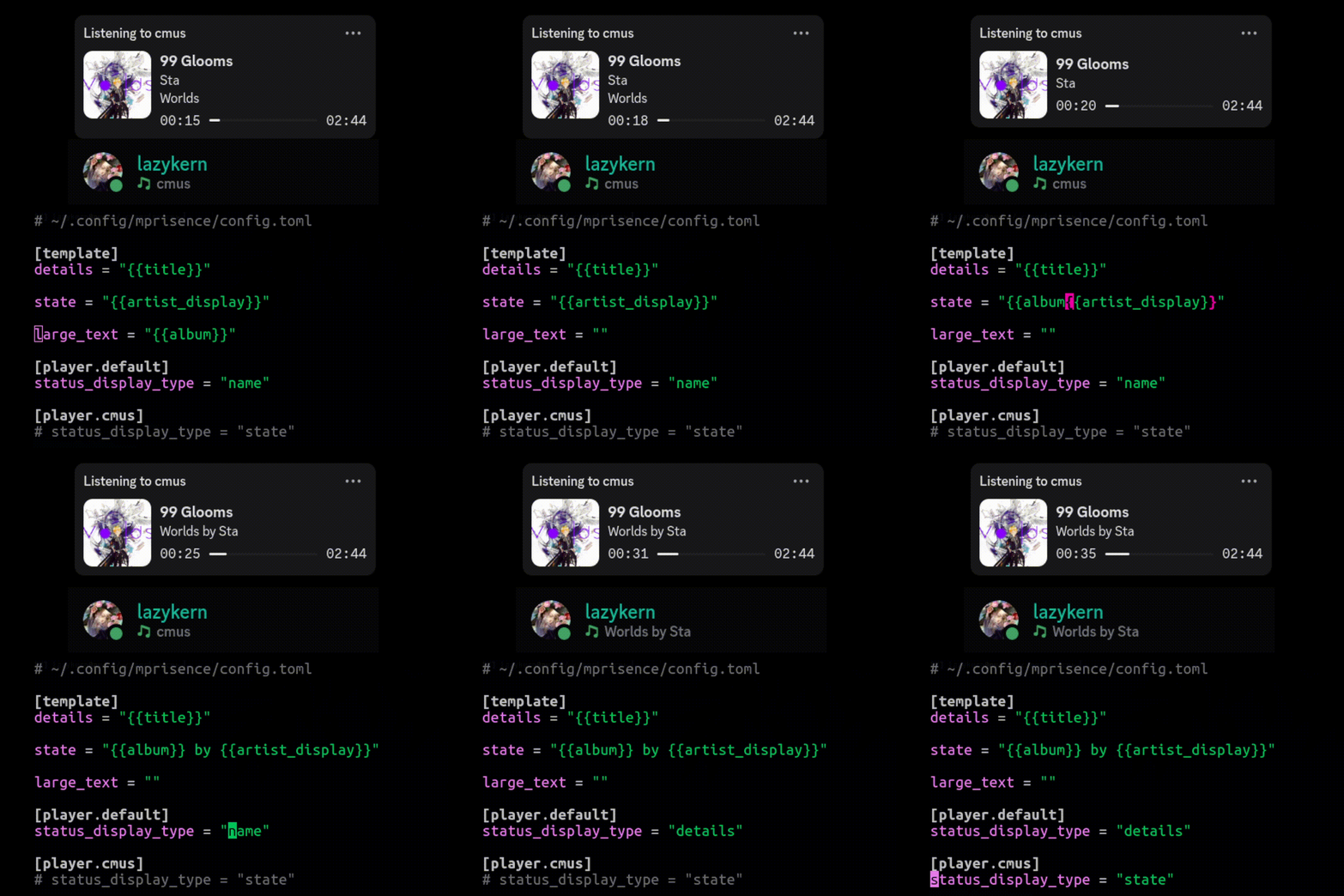
- Uses a template-driven system based on Handlebars to customize details and state text.
- Supports custom status display options, including showing the name, state, or details field in Discord.
- Can fetch and cache cover art using metadata, local files, and online providers.
- Hot reloads most configuration changes without requiring a restart.
- Offers per-player overrides for app IDs, icons, status presentation, and related settings.
- Adjusts Discord activity type such as Listening or Watching based on the content being played.
- Exposes rich metadata, including technical audio information, for use inside templates.
Website: github.com/lazykern/mprisence
Support:
Developer: lazykern
License: MIT License
mprisence is written in Rust. Learn Rust with our recommended free books and free tutorials.
Related Software
| MPRIS Tools | |
|---|---|
| playerctl | MPRIS media player command-line controller |
| mpris-ctl | Minimalistic command-line interface tool for controlling audio players |
| mpv-mpris | mpv plugin to control the player using standard media keys |
| mpd-mpris | MPRIS protocol for MPD |
| mprisence | Bridges MPRIS-compatible media players |
| empress | MPRIS media controls made simple |
| mpris-scrobbler | Minimalistic user daemon |
| MPRIS MiniPlayer | Displays whatever media in a MPRIS compatible player is playing. |
Read our verdict in the software roundup.
 Explore our carefully curated directory of recommended free and open source software, covering every major software category. Explore our carefully curated directory of recommended free and open source software, covering every major software category.The directory forms part of our extensive collection of articles for Linux enthusiasts. It includes hundreds of detailed reviews, together with free and open source alternatives to proprietary software from companies such as Google, Microsoft, Apple, Adobe, IBM, Cisco, Oracle, and Autodesk. LinuxLinks also covers interesting projects worth exploring, Linux-compatible hardware, free programming books and tutorials, and much more. Know a useful free and open source Linux application that we haven’t covered? Tell us about it using our submission form. |
Please read our Comment Policy before commenting.